
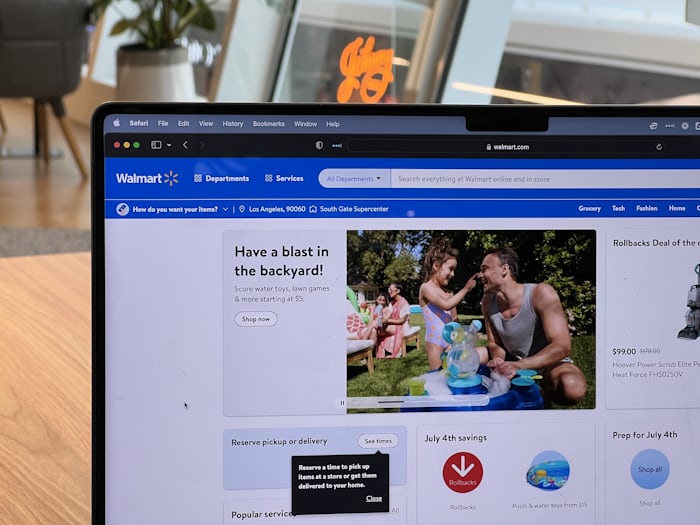
Many people subscribe to Walmart+ to enjoy benefits like free delivery, fuel discounts, and streaming perks. However, there may come a time when you no longer need the service.
Maybe you want to reduce monthly expenses, the benefits are not useful to you anymore, or you simply signed up for a free trial and want to cancel before the next billing date.
If that sounds like you, this guide will show you exactly how to cancel Walmart+ quickly and easily.
In this article, you will learn:
- How to cancel Walmart+ online
- What happens after you cancel your membership
- Whether you can cancel a Walmart+ free trial
- How to contact Walmart Plus membership customer service
- Important things to know before cancelling
What Is Walmart+?
Before cancelling, it helps to understand what Walmart+ is.
Walmart+ is a paid membership program that offers several benefits to frequent Walmart shoppers. Some common Walmart+ benefits include:
- Free delivery from local Walmart stores
- Free shipping on many items
- Fuel discounts at participating gas stations
- Mobile scan-and-go shopping
- Streaming benefits and partner offers
The membership usually costs around $12.95 per month or about $98 per year, although pricing can change depending on promotions or location.
Because Walmart+ automatically renews, you must cancel your membership if you no longer want to be charged.
How to Cancel Walmart+ Online
The easiest way to cancel Walmart+ is through your Walmart account online. The process only takes a few minutes. Follow these steps:
Step 1: Go to the Walmart Website
Open your browser and visit the Walmart website.
Step 2: Sign in to Your Account
Click the Sign In button and enter your email address and password.
Make sure you sign in using the account that is connected to your Walmart+ membership.
Step 3: Open Your Account Settings
After signing in, go to your Account section.
You will find this in the top corner of the website.
Step 4: Locate the Walmart+ Membership Section
Inside your account settings, find the Walmart+ membership area.
This section shows your:
- Membership status
- Billing details
- Renewal date
Step 5: Select “Cancel Membership”
Look for the option that says Cancel Membership or Manage Membership.
Click this option.
Step 6: Confirm Cancellation
Walmart may ask you to confirm your cancellation or provide feedback about why you are leaving.
Follow the prompts and confirm that you want to cancel your membership.
Once confirmed, your Walmart+ subscription will stop renewing.
How to Cancel Walmart+ Free Trial
Many users sign up for the Walmart+ free trial to test the service.
If you do not want to continue after the trial ends, you should cancel before the trial period expires.
The process is the same as cancelling a regular membership.
Steps to cancel the Walmart+ free trial
- Sign in to your Walmart account
- Go to your Account Settings
- Find the Walmart+ membership section
- Click Cancel Membership
- Confirm cancellation
When you cancel during the trial period, you will not be charged once the trial ends.
However, it is important to cancel before the trial renewal date.
What Happens After You Cancel Walmart+?
Many users wonder what happens immediately after cancelling their membership. Here is what you should expect.
Your benefits may continue temporarily
In most cases, your Walmart+ benefits remain active until the end of your current billing cycle.
For example:
- If you paid for a monthly plan, your benefits may continue until the end of that month.
- If you paid annually, benefits may remain active until the yearly subscription period ends.
Automatic renewal stops
After cancellation, Walmart will not charge your payment method again.
Your account remains active
Your regular Walmart account will still work normally.
You can still:
- Shop on Walmart.com
- Track orders
- Use your purchase history
Only the Walmart+ membership benefits will stop.
Can You Get a Refund After Cancelling Walmart+?
Refund policies may vary depending on the situation. Generally speaking:
- Monthly subscriptions are usually non-refundable
- Annual memberships may sometimes qualify for partial refunds depending on usage and timing
If you believe you were charged by mistake, the best option is to contact Walmart Plus membership customer service.
A support agent may review your situation and help resolve billing concerns.
Walmart Plus Membership Customer Service
If you are unable to cancel your membership online or you have billing questions, you can contact Walmart customer support.
Customer service representatives can assist with:
- Membership cancellation
- Billing disputes
- Refund requests
- Technical issues
- Account access problems
Reasons People Cancel Walmart+
Many users cancel Walmart+ for simple personal reasons.
Some common reasons include:
Reducing monthly expenses
Subscription services can add up over time, and many people cancel memberships to manage their budget better.
Not using the benefits enough
If you rarely use delivery services or fuel discounts, the membership may not feel worthwhile.
Free trial ending
Many users cancel shortly before their free trial expires.
Switching to other services
Some people move to other delivery or shopping membership programs that better match their needs.
Remember, cancelling a membership does not mean you cannot return later.
Can You Rejoin Walmart+ Later?
Yes, you can subscribe again in the future.
If you decide later that Walmart+ benefits are useful for you, simply sign in to your Walmart account and choose the membership option again.
Your previous cancellation does not prevent you from rejoining.
However, eligibility for another free trial may depend on Walmart’s current policies.
Tips Before Cancelling Walmart+
Before cancelling your membership, consider these simple tips.
Check your renewal date
Cancelling before the next billing date helps you avoid unwanted charges.
Review membership benefits
Make sure you are not currently using features that could still benefit you.
Confirm cancellation
Always check that you receive a confirmation message or email after cancelling.
This ensures the process was successful.
Frequently Asked Questions
1. Is it difficult to cancel Walmart+?
No. Cancelling Walmart+ usually takes only a few minutes through your account settings.
2. Can I cancel Walmart+ anytime?
Yes. You can cancel at any time. However, your benefits may remain active until the end of the current billing cycle.
3. Will I be charged after cancelling?
Once cancellation is confirmed, the membership should not renew for the next billing period.
4. Can customer support cancel my membership?
Yes. If you cannot access your account, Walmart customer support can help cancel your membership.



Pingback: How to Cancel Your Costco Membership in 3 Steps - How to Cancel Lab