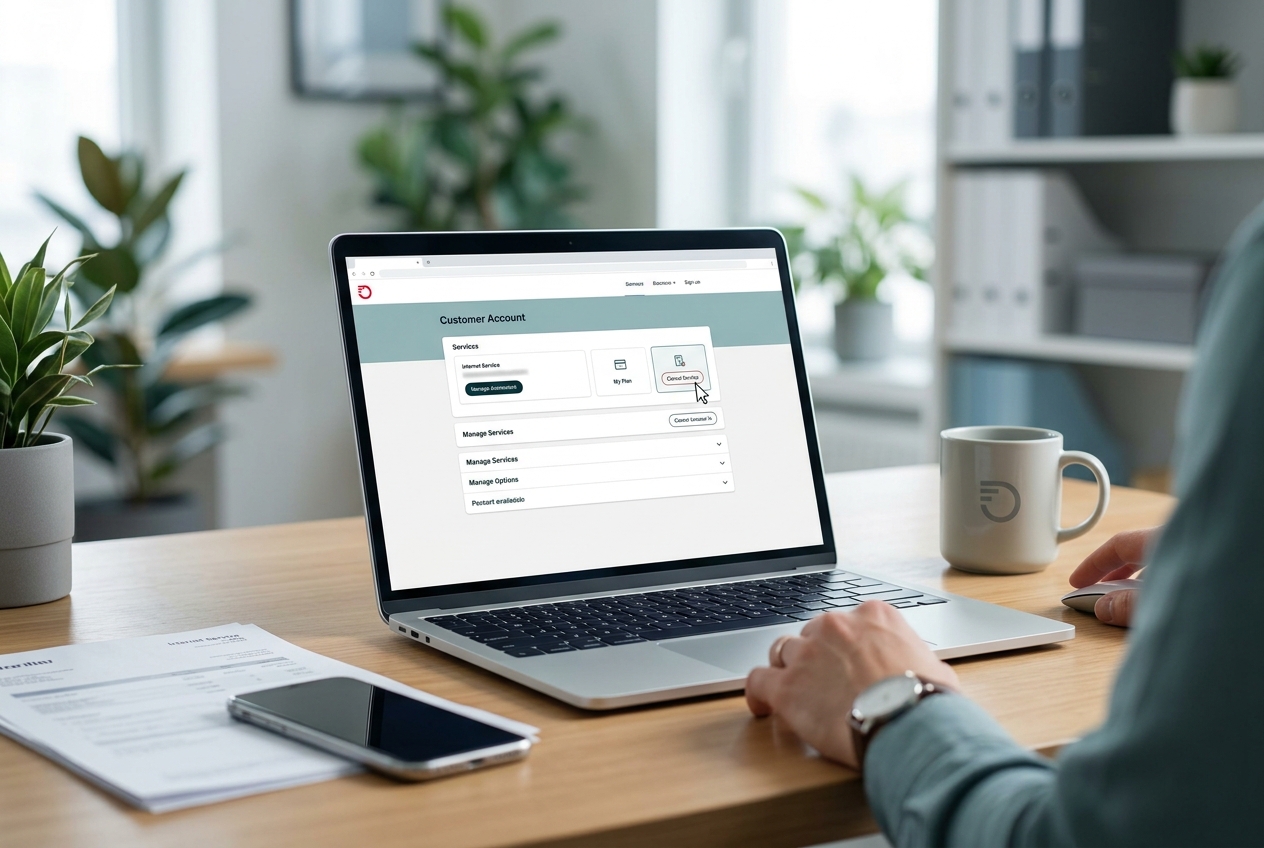
Canceling an internet service should be straightforward, but telecom providers have a long history of making it anything but. Frontier Communications is no exception. Between retention scripts designed to keep you on the line, confusing final bills, and equipment return policies that can trigger surprise charges, the process demands some preparation.
If you’re figuring out how to cancel Frontier internet, the single best thing you can do is arm yourself with the right information before you pick up the phone.
This guide walks through every step: from reviewing your contract and dodging early termination fees to handling the retention department, returning equipment, understanding your final bill, and lining up a replacement provider. Each phase has its own pitfalls, and skipping any one of them can cost you real money. The goal here is to help you close out your Frontier account cleanly, without lingering charges or unpleasant surprises weeks later.
Preparing for Your Frontier Cancellation
Canceling any internet service without doing homework first is a recipe for unexpected fees. Frontier, like most ISPs, builds its contracts and billing cycles in ways that benefit the company when customers leave. Spending 20 to 30 minutes reviewing your account details before you call can save you hundreds of dollars. This section covers the three things you need to sort out before you contact Frontier: your contract terms, any early termination penalties, and the physical hardware tied to your account.
Reviewing Your Service Contract
Your first step is locating your original service agreement. If you signed up online, check your email for the confirmation that came through when you activated your account. If you signed up over the phone, Frontier should have mailed or emailed a copy of your terms of service. Can’t find either? Log in to your Frontier account at frontier.com and look under account settings or billing history for any contract-related documents.
What you’re looking for specifically is the length of your commitment. Frontier has offered both month-to-month plans and fixed-term contracts (typically 12 or 24 months) depending on the promotion you signed up under. Month-to-month customers have it easiest: you can cancel at any time without a penalty tied to contract length. If you’re on a term agreement, you need to know when that term expires.
Pay close attention to the promotional pricing details. Many Frontier plans include a discounted rate for the first year or two, and the contract language often specifies that canceling before the promotional period ends triggers a fee. If your contract is within a month or two of expiring, it may be worth waiting. The math is simple: compare the remaining monthly charges to the early termination fee and pick the cheaper option.
One detail people overlook is whether their plan was bundled. If you had Frontier internet paired with phone service or TV, canceling just the internet portion may change the pricing on your remaining services. Bundled discounts disappear when you break the bundle, which can make your phone or TV bill jump significantly.
Checking for Early Termination Fees (ETFs)
Early termination fees are the biggest financial risk of canceling before your contract ends. Frontier’s ETFs have varied over the years, but they typically range from $75 to $400 depending on the plan and how much time remains on your agreement. Some contracts use a flat fee regardless of timing, while others prorate the penalty based on remaining months.
Here’s the critical distinction: Frontier Fiber plans (formerly Verizon FiOS in many areas) and legacy DSL plans often have different ETF structures. Fiber plans acquired after Frontier’s purchase of Verizon territories in 2016 sometimes carried over Verizon’s original contract terms, which can be confusing. If you’re unsure which terms apply to you, call Frontier’s billing department and ask them to read you the specific ETF clause tied to your account. Get the exact dollar amount in writing, either through chat or by requesting an email confirmation.
There are situations where you can avoid the ETF entirely. If Frontier raised your rates during your contract term beyond what was specified in the original agreement, you may have grounds to cancel without penalty. Price increases on non-promotional rates, added fees, or changes to service terms can sometimes void the contract. This isn’t guaranteed, but it’s worth raising with the representative if it applies to your situation.
If you’re relocating to an area where Frontier doesn’t offer service, you can often get the ETF waived. Have your new address ready and be prepared to provide proof of your move. Frontier can verify whether they serve your new location, and if they don’t, the contract becomes unenforceable in most cases.
Gathering Account Information and Hardware
Before you call, have the following ready: your Frontier account number, the name on the account, the service address, and the last four digits of the Social Security number associated with the account. Frontier’s verification process requires all of this, and not having it ready will slow you down or prevent you from canceling entirely.
Make a list of every piece of Frontier equipment in your home. This typically includes a router, and for fiber customers, an Optical Network Terminal (ONT). DSL customers may have a separate modem. Some setups also include a battery backup unit for the ONT. Check every room, closet, and shelf: equipment you forget to return will show up as an unreturned equipment charge on your final bill, often in the range of $100 to $200 per device.
Take photos of each piece of equipment, including the serial numbers and model numbers printed on the labels. This documentation becomes your insurance policy if Frontier later claims you didn’t return something. It takes two minutes and can save you a major headache.
Official Methods to Cancel Frontier Internet
Frontier doesn’t make cancellation available through every channel, and the options they do offer are designed to funnel you toward a phone conversation where a retention specialist can try to keep your business. Understanding which methods actually work, and which ones just waste your time, is essential.
Canceling via Phone with Customer Loyalty
The primary and most reliable way to cancel your Frontier internet service is by calling their customer service line. The general number is 1-800-921-8101, though you may be routed to different departments depending on your region. When the automated system picks up, say “cancel service” or press the option for account changes. You’ll almost certainly be transferred to the retention or loyalty department, which is the team authorized to actually process cancellations.
Plan to spend at least 30 to 45 minutes on this call. That’s not an exaggeration: it’s the average experience reported by customers who’ve gone through the process. The hold times alone can eat up 15 to 20 minutes, and the retention conversation adds more. Call during off-peak hours if possible. Tuesday through Thursday mornings tend to have shorter wait times than Monday mornings or Friday afternoons.
When you reach a representative, be polite but direct. State clearly that you want to cancel your internet service and provide your account verification details. The representative will ask why you’re canceling. You don’t owe them a detailed explanation, but having a simple reason ready (“I’m switching providers” or “I’m moving”) helps move the conversation along. Avoid saying you’re unhappy with the price, because that opens the door to retention offers that can extend the call by another 20 minutes.
One important timing consideration: try to call at least a week before your next billing cycle starts. Frontier’s billing practices mean that canceling mid-cycle can result in charges for the full cycle in some cases. Giving yourself a buffer reduces the chance of being billed for service you won’t use.
Online and Chat Cancellation Limitations
If you’re hoping to cancel Frontier internet through a website form or live chat, temper your expectations. Frontier’s online account portal allows you to manage many aspects of your service: paying bills, changing plans, updating payment methods. But full account cancellation is not typically available as a self-service option online.
The live chat feature on Frontier’s website can sometimes initiate the cancellation process, but in most cases, the chat agent will tell you that cancellations must be handled by phone. This is by design. Telecom companies know that customers who have to speak with a live person are more likely to accept a retention offer than customers clicking a “cancel” button on a screen.
Some customers have reported success starting the process via chat and then being called back by a retention specialist, which at least saves you the initial hold time. If you want to try this route, log into your Frontier account, open the chat, and request cancellation. Document the chat transcript by taking screenshots. Even if the chat agent can’t complete the cancellation, having a written record that you initiated the request on a specific date can be useful if there’s a billing dispute later.
There’s no Frontier app feature for cancellation either. Email requests to cancel are similarly ineffective: they may go unanswered or result in a form response directing you to call. The phone call is unavoidable for the vast majority of customers.
Navigating the Retention Department Conversation
The retention department exists for one reason: to stop you from leaving. Frontier, like every major ISP, measures retention agents on how many cancellation requests they convert into saves. This means the person you’re speaking with has financial incentive to keep you on the line and on the service. Knowing their playbook gives you a significant advantage.
Handling High-Pressure Retention Tactics
Expect the retention agent to offer you a discounted rate, usually framed as a “loyalty discount” or “special promotion.” These offers can be genuinely good: sometimes 30% to 50% off your current rate for 12 months. If you’re canceling because of price and the discount makes Frontier competitive with alternatives, it might be worth considering. But if you’re canceling for other reasons (reliability issues, moving, switching to fiber from DSL), don’t let a price drop distract you from your goal.
The most common tactic is the “let me check what I can do for you” pause, where the agent puts you on hold for several minutes and returns with a counteroffer. They may do this two or three times, each time with a slightly better deal. If you’ve made up your mind, respond with a simple, firm statement: “I appreciate the offer, but I’d like to proceed with cancellation.” You don’t need to justify your decision repeatedly.
Some agents will warn you about difficulties with other providers, suggest that your new service might not be as reliable, or mention that you’ll lose your current phone number if you have bundled service. These are delay tactics. Your phone number is portable by law (the FCC guarantees this), and the agent has no real knowledge of your alternative provider’s quality.
If an agent becomes particularly persistent or you feel the conversation is going in circles, ask to speak with a supervisor. This usually accelerates the process because supervisors have more authority and less incentive to drag out a call that’s clearly not going to result in a save. Stay calm throughout: getting frustrated or raising your voice only makes the call longer.
One tactic that works well is setting a deadline at the start of the call. Tell the agent: “I have 15 minutes for this call, and I need the cancellation completed in that time.” This frames the conversation and gives the agent a reason to move efficiently.
Requesting a Cancellation Confirmation Number
This is the single most important thing you’ll do on the cancellation call: get a confirmation number. Without it, you have no proof that the cancellation was processed. There have been numerous cases of customers who called to cancel, were told the cancellation was complete, and then received bills for the following month because the agent never actually submitted the request.
Before you hang up, ask the agent for a cancellation confirmation number and the exact date the service will be disconnected. Write both down. Ask the agent to send you an email confirming the cancellation as well. If they say they can’t send email confirmation, note the agent’s name, their employee ID if they’ll provide it, and the exact time of the call.
If you don’t receive email confirmation within 24 hours, call back and reference the confirmation number to verify that the cancellation is in the system. This follow-up call usually takes only a few minutes and gives you peace of mind that the process is actually moving forward.
Keep your confirmation number stored somewhere safe: you may need it weeks later if a billing issue arises. A screenshot in your phone’s notes app or a photo of your written notes works fine. The point is to have evidence that you canceled on a specific date, with a specific agent, and received a specific confirmation number.
Returning Frontier Equipment to Avoid Charges
Equipment returns are where many customers get burned after canceling. Frontier charges for unreturned equipment, and those charges can appear on your account 30 to 60 days after cancellation. The fees are steep enough to warrant careful attention to this part of the process.
Required Items: Routers, Modems, and Cables
The specific equipment you need to return depends on your service type. Fiber customers typically need to return the router and, in some cases, the ONT (Optical Network Terminal) mounted on an interior or exterior wall. DSL customers usually have a combination modem/router unit. If Frontier provided a standalone modem and a separate wireless router, both need to go back.
Here’s what catches people off guard: Frontier sometimes expects you to return power cords, Ethernet cables, and coaxial cables that came with the equipment. Whether these are actually required varies by region and by the specific agent handling your return, but the safest approach is to return everything that came in the original box. If you still have the original packaging, use it.
Battery backup units for ONTs are another commonly forgotten item. These are usually small black boxes mounted near the ONT, often in a garage or utility closet. If you have one, include it in your return. The unreturned equipment charge for a battery backup is typically lower than for a router, but it’s still an unnecessary cost.
If you purchased your own router and never used Frontier’s equipment, make sure your account reflects this. Some customers report being charged for equipment they never had. If this happens, your photos of the equipment (or lack thereof) and any receipts for your own router become critical evidence.
Shipping Methods and Return Labels
After your cancellation is processed, Frontier should send you a prepaid return shipping label, usually via email. This label covers the cost of shipping the equipment back via UPS. If you don’t receive the label within a few days of cancellation, call Frontier and request one. Don’t wait: the clock is ticking on the return window, which is typically 30 days from your cancellation date.
Pack the equipment securely. Use the original box if you have it, or any sturdy box with adequate padding. Equipment that arrives damaged may still trigger an unreturned equipment fee, so don’t just toss a router into a padded envelope.
Drop the package at a UPS location (not in a random drop box if you can avoid it) and get a receipt with a tracking number. This tracking number is your proof of return. Without it, you’re relying entirely on Frontier’s internal processing to credit your account, and that system isn’t always reliable.
Some Frontier customers have the option to return equipment to a local Frontier retail store. If there’s one near you, this can be faster and gives you an immediate receipt. Ask the store associate to provide a written confirmation that lists each piece of equipment by serial number. This is more thorough than a shipping receipt and harder for Frontier to dispute.
Documenting Your Return for Proof
Take photos of every item before you box it up. Photograph the serial number labels on each device. Then photograph the packed box before you seal it, and photograph the sealed box with the shipping label attached. This might feel excessive, but customers who’ve been wrongly charged $150 or more for “unreturned” equipment wish they’d done exactly this.
Keep the UPS tracking receipt and monitor the tracking status until the package shows as delivered. Once it’s delivered, take a screenshot of the delivery confirmation. Store all of this documentation in a folder, digital or physical, that you can access for at least 90 days after cancellation.
If Frontier charges you for unreturned equipment despite your return, you’ll need this evidence to dispute the charge. Call Frontier’s billing department, provide the tracking number and delivery confirmation, and request that the charge be removed. If the first agent can’t resolve it, escalate to a supervisor. In cases where Frontier still won’t remove the charge, you can file a complaint with the FCC, which typically prompts a faster resolution. The FCC’s consumer complaint center handles exactly these types of disputes and ISPs tend to respond quickly once a formal complaint is filed.
Understanding Your Final Frontier Bill
Your final bill from Frontier is rarely as simple as “last month of service.” There are several line items that can appear, some expected and some not, and understanding them in advance helps you spot errors before they become collection issues.
Prorated Charges vs. Full Billing Cycles
Frontier’s billing policy on cancellations has been a source of frustration for years. Historically, Frontier billed for the full billing cycle regardless of when you canceled, meaning if you canceled on the 5th of the month but your billing cycle ran through the 30th, you’d still pay for those remaining 25 days. This practice has shifted in some regions and for some plan types, with prorated final bills becoming more common, but it’s not universal.
When you call to cancel, ask the agent directly: “Will my final bill be prorated, or will I be charged for the full billing cycle?” Get a clear answer and note it. If the agent confirms prorated billing, ask what the estimated final charge will be. This gives you a number to compare against the actual final bill when it arrives.
If you’re told you’ll be billed for the full cycle, time your cancellation to align as closely as possible with the end of your billing period. Your billing cycle date is on every monthly statement. Canceling a day or two before the cycle ends minimizes the amount of service you’re paying for but not using.
Some states have consumer protection laws that require ISPs to prorate final bills. California, for example, has been at the forefront of telecom billing reform, and residents there may have stronger grounds to demand prorated charges. Check your state’s public utility commission website for local rules.
Hidden Fees and Final Credits
Beyond the standard service charge, your final bill may include a few items that weren’t on your regular monthly statements. Look for equipment fees if Frontier claims you haven’t returned hardware yet, even if you shipped it back. There may also be a “service disconnection fee” in some markets, though this has become less common under regulatory pressure.
On the credit side, check whether you had any deposits on file with Frontier. Some customers, particularly those who signed up with limited credit history, paid a deposit when they started service. This deposit should be refunded on your final bill or via a separate check. If you don’t see it, call and ask.
Autopay customers should disable automatic payments after confirming their final bill amount. If you leave autopay active, Frontier may draft the final bill amount automatically, which is fine if the bill is correct. But if there are erroneous charges, disputing an automatic withdrawal is more complicated than disputing a bill you haven’t paid yet.
Review every line item on the final statement. If anything looks wrong, call Frontier within 30 days of receiving the bill. After 30 days, unpaid balances can be sent to collections, which damages your credit score and makes resolution harder. If you dispute a charge, follow up in writing (email is fine) so there’s a paper trail. Frontier’s billing support page provides contact options for billing disputes.
Switching to a New Internet Provider
Don’t cancel Frontier until you have a replacement lined up. Going without internet, even for a few days, is disruptive for most households, and the transition can be smoother than you’d expect with a little planning.
Start by checking which providers serve your address. Tools like BroadbandNow’s search feature let you enter your zip code and see every available ISP, along with plan speeds and pricing. In many areas, you’ll have at least two or three options: a cable provider, a fiber provider (if available), and fixed wireless or satellite as backup options.
Compare plans based on three factors: download speed, monthly cost after the promotional period ends, and contract requirements. The promotional price is less important than the regular price, because that’s what you’ll be paying for most of your time with the provider. A plan that’s $30/month for 12 months but jumps to $75/month afterward is more expensive over two years than a plan that’s $55/month with no contract and no price increase.
Schedule your new installation before your Frontier cancellation date. Ideally, you want a one-to-two-day overlap where both services are active. This ensures you’re never without internet and gives you a chance to test the new connection before Frontier goes dark. Yes, you’ll pay for an extra day or two of Frontier service, but that’s a small price for uninterrupted connectivity.
If you’re keeping your phone number (for customers with bundled Frontier phone service), initiate the number port with your new provider before canceling Frontier. The porting process itself often triggers the cancellation of your old service automatically, but confirm this with both providers to avoid confusion. The FCC’s number portability rules guarantee your right to keep your number when switching.
For the new provider installation, be home during the entire appointment window. Test your speeds immediately after setup using a tool like Speedtest by Ookla, and compare the results to what you’re paying for. If speeds are significantly below the advertised rate, raise the issue with the technician before they leave. It’s much easier to fix wiring or equipment issues while the tech is still on-site.
One final consideration: if you’re in an area where Frontier is your only wired option and you’re canceling due to service quality issues, look into fixed wireless providers like T-Mobile Home Internet or Verizon Home Internet. These services use 5G or LTE networks and don’t require a phone line or cable connection. They’ve become genuinely competitive in many markets, with speeds that rival or exceed DSL service.
Making a Clean Break
Canceling Frontier internet requires more effort than it should, but the process becomes manageable when you break it into clear steps. Review your contract and know your ETF exposure before calling. Have your account details and equipment list ready. Call the retention department with a firm, polite stance and don’t leave the call without a confirmation number. Return all equipment with tracking and documentation. Scrutinize your final bill for errors and dispute anything that doesn’t match what you were told.
The customers who get hit with surprise charges are almost always the ones who skipped one of these steps. Take the time to do each one properly, and you’ll close out your Frontier account without leaving money on the table. Your next provider is waiting: make sure the transition is on your terms, not Frontier’s.