
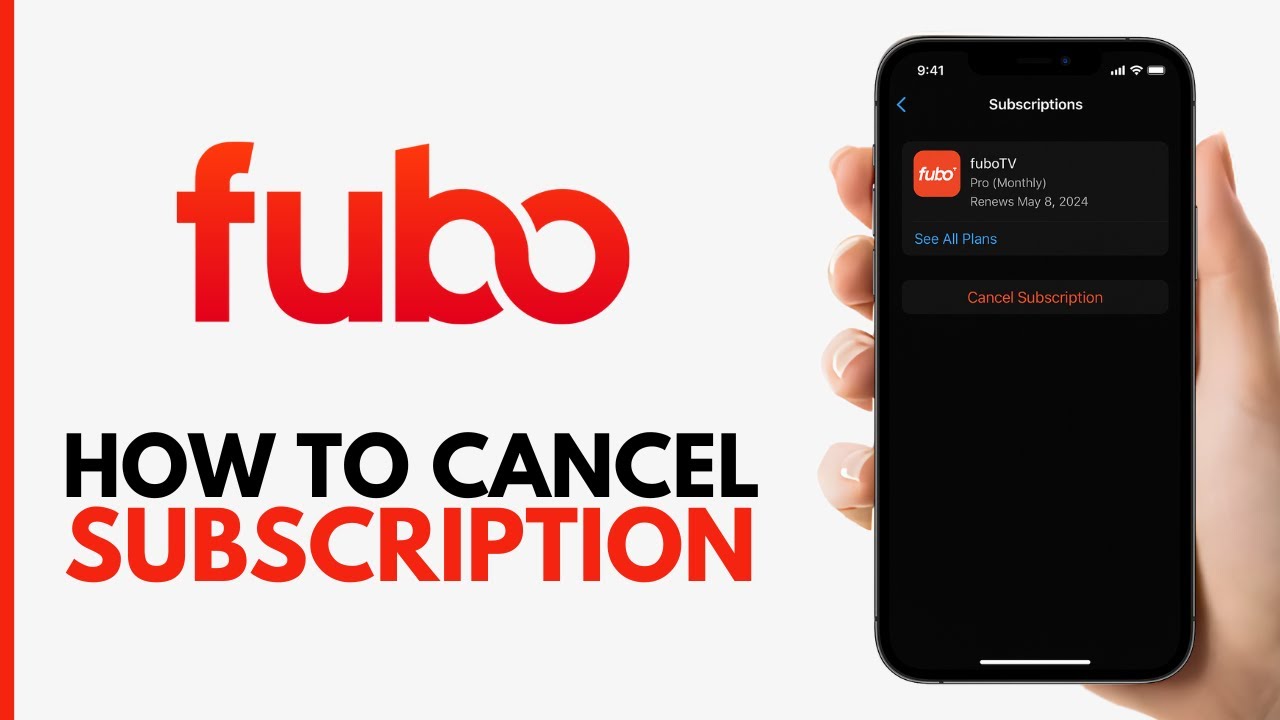

Canceling a streaming subscription should be simple, but anyone who’s tried knows the reality is often different. Fubo, the sports-focused live TV streaming service, has its own quirks depending on how you signed up and what device you’re using.
Maybe you’re cutting costs, maybe the sports season ended, or maybe you’re just tired of paying $74 a month for something you barely watch. Whatever the reason, the process varies quite a bit depending on whether you subscribed directly through Fubo’s website or through a third-party platform like Roku, Apple, or Amazon.
I’ve walked through each of these cancellation paths and documented the specific steps, common pitfalls, and lesser-known options like pausing your subscription. If you’re trying to figure out how to cancel Fubo without losing money or access prematurely, this is the guide that actually covers every scenario.
Understanding Fubo’s Cancellation Policy and Free Trials
Before you click anything, it helps to understand what you’re working with. Fubo operates on a monthly billing cycle with no annual contracts for most plans. That’s the good news. The even better news is that Fubo does not charge cancellation fees for its monthly subscriptions, so you won’t get hit with some surprise penalty for walking away. Your service simply continues until the end of your current billing period, and then it stops.
The tricky part is timing. If you cancel on day three of a new billing cycle, you’ve already paid for the full month, and you’ll retain access until that month ends. There are no prorated refunds: you don’t get money back for unused days. This means the ideal time to cancel is right before your next billing date, not after it. Check your billing date in your account settings before doing anything else.
Fubo’s Pro plan runs about $74 per month and includes over 150 channels, which makes it one of the pricier live TV streaming options. If you’ve also added extras like Sports Plus, International Sports, or other channel packages, those add-ons can cost between $3 and $30 a month each. All of these get canceled along with your main subscription, so make sure you’re aware of what you’ll lose.
One thing that catches people off guard: if you subscribed through a third party like Apple or Roku, Fubo’s own website can’t cancel your subscription. You have to go through the platform where you originally signed up. More on that in a later section.
Fubo Free Trial Cancellation Policy
Fubo periodically offers free trials, typically lasting seven days, for new subscribers. The trial gives you full access to whatever plan you sign up for, and if you cancel before the trial period ends, you won’t be charged. Miss that window by even a few hours, and you’re on the hook for the first full month.
Here’s the catch that trips people up: the trial starts the moment you sign up, not the moment you first stream something. If you create your account on a Monday but don’t actually watch anything until Thursday, you’ve already burned four of your seven free days. Set a calendar reminder for day five or six of your trial if you’re on the fence about keeping it.
To cancel during a free trial, the process is identical to canceling a paid subscription. Log into your account, go to your subscription settings, and follow the cancellation steps. The system will confirm whether you’re still within the trial window. If you are, you’ll see a message confirming no charge will be applied.
One important note: free trials are typically limited to one per person, per payment method, per email address. Creating a new account with the same credit card or email usually won’t get you a second trial. Fubo’s system is pretty good at catching these attempts.
Streaming Service Refund Eligibility and Terms
This is where expectations often collide with reality. Fubo’s general policy is that charges for completed billing periods are non-refundable. If you forgot to cancel and got charged for another month, your chances of getting that money back are slim, though not zero.
Your best bet for a refund is contacting Fubo’s customer support directly. They can be reached through live chat on the Fubo website or by phone. Explain the situation clearly: if you were charged after attempting to cancel, if there was a technical error, or if you were double-billed, support agents do have the ability to issue refunds on a case-by-case basis. Be polite, be specific, and have your account details ready.
If you subscribed through Apple, Roku, or Amazon, the refund process is handled by that platform, not Fubo. Apple, for instance, has its own refund request system through reportaproblem.apple.com. Amazon handles refunds through their customer service. Each platform has different policies and different levels of flexibility, so your experience will vary.
Fubo finished last in overall customer satisfaction in a 2025 survey, with only 68% of customers reporting satisfaction. That statistic alone suggests you’re not the only one looking for the exit. If you feel like the service didn’t deliver what was promised, mention that in your refund request: it can’t hurt.
How to Cancel Fubo on a Web Browser
If you signed up directly through Fubo’s website using a credit card or debit card, this is the most straightforward cancellation path. Here’s exactly what to do:
- Open a web browser on your computer or phone and go to fubo.tv.
- Sign in with the email address and password associated with your account.
- Click on your profile icon in the upper-right corner of the screen.
- Select “My Account” from the dropdown menu.
- Navigate to the “Subscription & Billing” section.
- Click “Cancel Subscription.”
- Fubo will present you with retention offers or ask why you’re leaving. You can skip through these.
- Confirm the cancellation.
After confirming, you should receive an email from Fubo acknowledging the cancellation. Keep this email. Screenshot it if you want to be extra careful. I’ve seen cases where people thought they canceled but the process didn’t fully complete because they closed the browser tab before the final confirmation screen loaded.
Your access continues until the end of your current billing cycle. You won’t lose your channels or DVR recordings immediately. But once that billing period ends, everything goes away: your recorded content, your watch history, your custom channel lineup. They’re gone.
A detail worth knowing: if you only want to cancel specific add-ons but keep your base plan, you can do that from the same Subscription & Billing page. Each add-on will have its own removal option. This is a good move if you’re trying to cut costs without losing live TV entirely. Dropping from the Pro plan to the Latino plan at around $15 per month is another option if you want to dramatically reduce your bill while keeping some live content.
The web browser method only works if you originally subscribed through Fubo directly. If you see a message saying your subscription is managed by a third party, you’ll need to cancel through that platform instead, which brings us to the next section.
Managing Fubo Billing Through Third-Party Services
This is where things get complicated, and honestly, it’s the source of most cancellation frustration I’ve encountered. If you signed up for Fubo through your Roku, Apple TV, iPhone, or Amazon Fire TV device, your billing relationship is with that platform, not with Fubo. Fubo literally cannot cancel your subscription in these cases: you have to go through the middleman.
The upside of third-party billing is that these platforms often have more generous refund policies than Fubo itself. The downside is that the cancellation steps are different for every single platform, and they change their interfaces regularly.
Fubo has stated that they believe “a streaming service must provide consumers with multiple, flexible and more affordable content options – and that consumers should be able to subscribe to the content they choose.” That philosophy extends to their cancellation approach, at least on paper. In practice, the third-party billing layer adds friction that Fubo can’t control.
Canceling via Roku Account Settings
Roku makes it relatively easy to manage subscriptions, but you need to know where to look. There are two ways to do this: through the Roku device itself or through the Roku website.
On your Roku device:
- Press the Home button on your remote.
- Scroll to the Fubo channel and highlight it (don’t select it).
- Press the Star (*) button on your remote to open the options menu.
- Select “Manage Subscription.”
- Choose “Cancel Subscription” and confirm.
Through the Roku website:
- Go to my.roku.com and sign in.
- Click on “Manage Your Subscriptions” under your account.
- Find Fubo in your active subscriptions list.
- Click “Unsubscribe” and follow the prompts.
A common gotcha with Roku: if you have multiple Roku accounts (it happens more often than you’d think, especially in households where different people set up different devices), make sure you’re signed into the one that’s actually billing you for Fubo. Check which email address is associated with the Roku account on the device where you watch Fubo. If you’re canceling from the wrong Roku account, you’ll either not see Fubo listed or you’ll cancel the wrong subscription.
After canceling through Roku, your Fubo access continues until the end of the billing period. Roku will send you a confirmation email, and the Fubo channel will remain on your device but will prompt you to resubscribe when you try to open it after your access expires.
Managing Subscriptions on Apple TV and iOS
Apple’s ecosystem is both polished and frustrating when it comes to subscription management. If you subscribed to Fubo through your iPhone, iPad, or Apple TV, your subscription is billed through your Apple ID, and that’s the only place you can cancel it.
On an iPhone or iPad:
- Open the Settings app.
- Tap your name at the top of the screen.
- Tap “Subscriptions.”
- Find Fubo in the list of active subscriptions and tap it.
- Tap “Cancel Subscription” and confirm.
On an Apple TV:
- Open Settings on the Apple TV.
- Select “Users and Accounts.”
- Select your account.
- Select “Subscriptions.”
- Find Fubo, select it, and choose “Cancel Subscription.”
Here’s the technical gotcha that trips up a lot of Apple users: Apple does not allow apps to manage subscriptions directly within the app itself. This is an Apple policy, not a Fubo decision. So if you open the Fubo app on your iPhone looking for a cancel button, you won’t find one. You have to go through your Apple ID settings.
If you have Family Sharing enabled, only the person who originally subscribed can cancel. Other family members can see the subscription but can’t modify it. This causes confusion in households where one person signed up and another person is trying to cancel.
Apple’s refund process for subscriptions is handled through reportaproblem.apple.com. If you were charged after attempting to cancel, or if you feel the service didn’t work as advertised, submit a request there. Apple tends to be fairly generous with first-time refund requests, though repeat requests get more scrutiny.
Terminating Fubo via Amazon Fire TV
Amazon’s cancellation process is straightforward, but it’s buried in a place most people don’t think to look. If you subscribed to Fubo through your Amazon Fire TV Stick or Fire TV Cube, the subscription is managed through your Amazon account.
- Go to amazon.com and sign into your account.
- Navigate to “Account & Lists” and then “Memberships & Subscriptions.”
- Find Fubo in your list of subscriptions.
- Click “Manage Subscription” and then select the option to cancel.
- Follow the prompts and confirm.
You can also do this through the Amazon app on your phone, though the menu path can differ slightly between Android and iOS versions of the app.
An important Amazon-specific issue: if you’re part of an Amazon Household, subscriptions can get tangled between household members. Make sure you’re logged into the specific Amazon account that holds the Fubo subscription. If you’re logged into your partner’s account, you won’t see the subscription listed.
Amazon typically processes cancellations immediately and sends a confirmation email. Like the other platforms, your access continues until the current billing period ends. Amazon’s customer service is generally responsive if you need a refund, and you can reach them through chat, phone, or email from the “Contact Us” page.
Pause Fubo Subscription vs. Cancel: Which is Better?
Here’s an option most people don’t know about. Fubo allows you to pause your subscription instead of canceling it outright. This is genuinely useful if you’re a seasonal viewer: maybe you only care about NFL season, or you’re going on vacation for a month and don’t want to pay for something you won’t use.
When you pause your subscription, your account stays active but billing stops for a set period (typically one to three billing cycles, depending on availability). Your account settings, preferences, and profile information are preserved. When the pause period ends, billing resumes automatically at your previous rate.
Canceling, on the other hand, is permanent. You lose your DVR recordings, your custom settings, and any promotional pricing you might have been on. If you come back later, you’ll sign up as a new customer at whatever the current rate is, which might be higher than what you were paying before.
So when does pausing make more sense than canceling?
- You plan to come back within one to three months.
- You’re on a promotional rate you don’t want to lose.
- You have DVR recordings you want to keep.
- You’re traveling and won’t be watching but don’t want the hassle of re-subscribing.
And when should you cancel outright?
- You’re done with Fubo for good and switching to another service.
- You’re trying to eliminate the subscription entirely from your budget.
- You’re paying full price anyway, so there’s no promotional rate to protect.
- You want to be eligible for a “come back” promotional offer later.
That last point is interesting. Fubo, like most streaming services, sometimes sends promotional offers to former subscribers. These can include discounted rates for your first month or two back. If you cancel completely and wait a few weeks, you might receive an email with a deal that’s better than your current rate. Pausing doesn’t trigger these offers because you’re technically still a subscriber.
To pause your subscription, log into your account on fubo.tv, go to Subscription & Billing, and look for the pause option. If you subscribed through a third party, the pause feature may not be available: this is another limitation of managing Fubo billing through third-party platforms like Roku or Apple.
Troubleshooting Fubo Account Sign-In Issues During Cancellation
Nothing is more frustrating than deciding to cancel a subscription and then not being able to log in to do it. This happens more often than you’d expect with Fubo, and there are a few common culprits.
The most frequent issue is simply using the wrong email address. If you signed up years ago, you might have used a different email than the one you’re thinking of. Check your email accounts for the original Fubo welcome message or any billing receipts. Your credit card or bank statement might also show which email is associated with the charge.
Another common problem: if you signed up through a social login (Google or Facebook), you need to use that same method to sign in. Trying to log in with an email and password won’t work if your account was created through a social authentication method. Look for the “Sign in with Google” or “Sign in with Facebook” buttons on the login page.
Resetting Forgotten Passwords
If you know your email but can’t remember your password, the reset process is standard:
- Go to fubo.tv and click “Sign In.”
- Click “Forgot Password” below the password field.
- Enter the email address associated with your account.
- Check your inbox (and spam/junk folder) for a password reset email from Fubo.
- Click the reset link in the email and create a new password.
- Sign in with your new password and proceed with cancellation.
The reset email usually arrives within a few minutes, but I’ve seen cases where it takes up to 30 minutes. If it doesn’t arrive at all, double-check that you’re entering the correct email. Try variations: maybe you used a Gmail address with a period in a different place, or maybe you used a .com address when your actual account is under a .net address.
If you still can’t get in after a password reset, contact Fubo support directly. Their live chat is available on the website, and phone support can be reached at 1-844-551-1005. Have your billing information ready, as they’ll use it to verify your identity and help you regain access.
One more thing: password reset links expire, usually within 24 hours. If you request a reset and don’t use the link right away, you’ll need to request a new one. Don’t click an old link from a previous reset attempt: it won’t work and will just give you an error message.
Resolving Device Compatibility Errors
Sometimes the issue isn’t your credentials but the device or browser you’re using. Fubo’s website works best on recent versions of Chrome, Firefox, Safari, and Edge. If you’re using an outdated browser, you might get login errors, blank screens, or pages that don’t load properly.
Try these steps if you’re having device-related login issues:
- Clear your browser cache and cookies, then try logging in again.
- Try a different browser entirely. If Chrome isn’t working, switch to Firefox or Safari.
- Disable any VPN you might be running. Fubo is geo-restricted to the United States, and a VPN can cause authentication failures even if you’re physically in the US.
- Try logging in from a different device. If your laptop isn’t cooperating, use your phone’s browser.
- Check if Fubo is experiencing an outage. Sites like DownDetector can tell you if other users are having problems too.
A less obvious issue: if you’ve recently traveled internationally and your device still has location data from another country, Fubo might block your login attempt. Connecting to your home Wi-Fi network and restarting your device usually resolves this.
For smart TV and streaming device issues, make sure your device firmware is up to date. Older versions of Roku OS, Fire OS, or Apple tvOS can cause app compatibility problems that affect everything from login to playback. Check your device settings for available system updates.
If you’re completely locked out and can’t resolve the issue through any of these steps, remember that you can still cancel through the third-party platform (Roku, Apple, Amazon) if that’s how you subscribed. You don’t need to log into Fubo itself to cancel a subscription that’s billed through one of those services.
Final Steps After Canceling Your Fubo Account
Once you’ve confirmed your cancellation, there are a few housekeeping items worth taking care of.
First, verify the cancellation. Check your email for a confirmation message from Fubo or from the third-party platform you used. If you don’t receive one within an hour, log back in and check your subscription status. It should show a cancellation date or say something like “Your subscription will end on [date].” Screenshot this for your records.
Second, monitor your bank or credit card statement for the next billing cycle. Make sure no additional charges appear after your cancellation date. If you see an unexpected charge, contact Fubo support or your third-party platform immediately with your cancellation confirmation as evidence.
Third, consider what happens to your data. Fubo retains your account information for a period after cancellation, which means you can resubscribe later without creating a new account from scratch. However, your DVR recordings and watch history will not survive the cancellation. If there’s anything recorded that you haven’t watched yet, watch it before your access expires.
Fourth, if you’re canceling Fubo to try a competing service, do some comparison shopping first. YouTube TV, Hulu + Live TV, Sling TV, and DirecTV Stream all offer live TV packages at various price points. Each has different channel lineups and DVR capabilities. Your ideal replacement depends on which channels matter most to you.
Canceling Fubo is not difficult once you know which path applies to your situation. The key is identifying whether you subscribed directly or through a third party, acting before your next billing date, and keeping confirmation of your cancellation.
If you’re not sure you want to leave permanently, pausing is a smart middle ground that keeps your account intact. And if you do leave, don’t be surprised if a promotional offer lands in your inbox a few weeks later: streaming services really don’t want to lose subscribers, and that return offer might be the best deal you’ll get.

Pingback: 5 Simple Steps to Cancel Your Xfinity Plan - How to Cancel Lab