
Before You Cancel: What Happens to Your Credits and Library?
Cancelling your Audible membership sounds straightforward until you realize there’s real money sitting in your account. Those unused credits you’ve been hoarding? They’re about to vanish. That library of audiobooks you’ve built over the years? The rules around that are more nuanced than most people expect.
Before you click that cancel button, you need to understand exactly what you’re walking away from and what you get to keep. Audible dominates the audiobook space with an estimated 59.8% U.S. market share, which means their policies affect millions of listeners. Getting this wrong could cost you hundreds of dollars in lost credits or books you thought were yours forever.
Here’s what actually happens to your account when you cancel, and how to protect your investment before pulling the trigger.
The “Use It or Lose It” Policy for Audible Credits
Your unused Audible credits disappear the moment your membership ends. There’s no grace period, no rollover to a future subscription, and no refund for credits you didn’t use. If you’re sitting on three credits at $14.95 each, that’s nearly $45 you’re about to forfeit.
The tricky part is timing. Your credits vanish at the end of your current billing cycle, not when you submit the cancellation request. This gives you a window to spend them, but only if you’re paying attention to your renewal date. Log into your account and check your next billing date before doing anything else.
Many members accumulate credits without realizing it. Audible’s Plus Catalog titles don’t require credits, so it’s easy to forget you have them stacking up. Head to your account settings and look at your credit balance.
If you have unused credits, browse the store and use them on titles you’ve been meaning to read. Even if you’re not sure you’ll listen immediately, those books become permanent purchases that survive cancellation.
One strategy that works well: use your credits on expensive audiobooks. Some titles cost $30-40 at retail, while a single credit costs you around $15 or less depending on your plan. Maximizing value from your remaining credits means targeting longer, pricier titles rather than short listens you could find elsewhere.
How to Keep Your Audible Books After Ending Your Subscription
Here’s the good news that surprises many people: any audiobook you purchased with a credit or cash is yours forever. Cancelling your membership doesn’t delete your library. You can still access, download, and listen to every title you’ve bought, even years after your subscription ends.
The catch involves Plus Catalog content. Those free titles included with your membership? Access to those disappears when your subscription ends. If you’ve been listening to Plus Catalog audiobooks without actually purchasing them, you’ll lose access to any unfinished titles and won’t be able to revisit favorites.
Before cancelling, scroll through your library and identify which titles came from the Plus Catalog versus which ones you purchased. The distinction matters because you might want to use a credit to permanently buy a Plus Catalog title you particularly loved. This way, you retain access even after your membership ends.
Your listening progress, bookmarks, and notes also remain intact. When you eventually return to Audible or access your library through the app, everything picks up where you left off. Amazon doesn’t punish former members by wiping their data.
Step-by-Step Guide to Cancelling Audible on a Desktop Browser
The desktop browser method is the most reliable way to cancel your Audible membership. Mobile apps have restrictions that often prevent direct cancellation, so starting with a computer saves frustration.
Open your web browser and go to audible.com. Sign in with your Amazon credentials if you’re not already logged in. Once you’re on the homepage, hover over your name in the top right corner. A dropdown menu appears with several options.
Click on “Account Details” from that dropdown. This takes you to your account overview page where you can see your membership status, credit balance, and billing information. Look for the section labeled “Membership” or scroll down until you see information about your current plan.
Find the link that says “Cancel membership” or “Cancel my membership.” Audible doesn’t hide this option, but it’s not prominently displayed either. You may need to scroll past promotional content about your membership benefits.
When you click cancel, Audible doesn’t let you go without a fight. The platform highlights the value of the service, including exclusive discounts and its extensive library, as part of their retention strategy. You’ll see screens reminding you of benefits you’re about to lose, special offers to stay, and options to pause instead of cancel. These aren’t tricks, but they are designed to make you reconsider.
Click through these retention offers if you’re committed to cancelling. You may need to confirm your decision two or three times before the cancellation actually processes. Watch for the final confirmation screen that explicitly states your membership has been cancelled.
After completing the process, check your email for a cancellation confirmation. This email serves as your proof that you successfully cancelled. Save it or screenshot it, and don’t delete it until at least one billing cycle has passed. If Audible charges you after cancellation, this confirmation becomes essential for disputing the charge.
Return to your account page and verify your membership status shows as cancelled or scheduled to end. The status should reflect your cancellation date and confirm no future charges. If everything looks correct, you’ve successfully cancelled.
How to Cancel Audible on iPhone and Android Devices
Mobile cancellation gets complicated because of how app stores handle subscriptions. If you signed up for Audible through the iOS App Store or Google Play Store, you cannot cancel through Audible’s website. You must cancel through the same platform where you originally subscribed.
This trips up countless users who try cancelling on Audible’s site, receive error messages, and assume something is broken. The system isn’t broken. It’s just routing your subscription through a different billing system entirely.
First, figure out how you originally signed up. Check your email for your initial Audible welcome message. If it came from Apple or Google rather than Audible directly, you subscribed through an app store. You can also check your account settings on Audible’s website, which sometimes indicates the billing source.
Managing Subscriptions via the Apple App Store
iPhone users who subscribed through Apple need to cancel via their Apple ID settings. Open the Settings app on your iPhone and tap your name at the top of the screen to access your Apple ID.
Tap “Subscriptions” from the list of options. This shows all active subscriptions tied to your Apple ID, including Audible if you subscribed through the App Store. Find Audible in the list and tap on it.
You’ll see your subscription details, including the renewal date and price. Tap “Cancel Subscription” at the bottom. Apple will ask you to confirm, and once you do, the cancellation takes effect at the end of your current billing period.
Apple doesn’t prorate refunds for partially used subscription periods. If you cancel three days into a monthly cycle, you still have access for the remaining 27 days, but you won’t receive a partial refund for unused time.
If Audible doesn’t appear in your Apple subscriptions, you didn’t sign up through the App Store. Head to Audible’s website instead and follow the desktop cancellation process.
Cancelling Through the Google Play Store
Android users who subscribed via Google Play follow a similar process through Google’s subscription management. Open the Google Play Store app and tap your profile icon in the top right corner.
Select “Payments & subscriptions” from the menu, then tap “Subscriptions.” This displays all subscriptions billed through your Google account. Find Audible and tap on it.
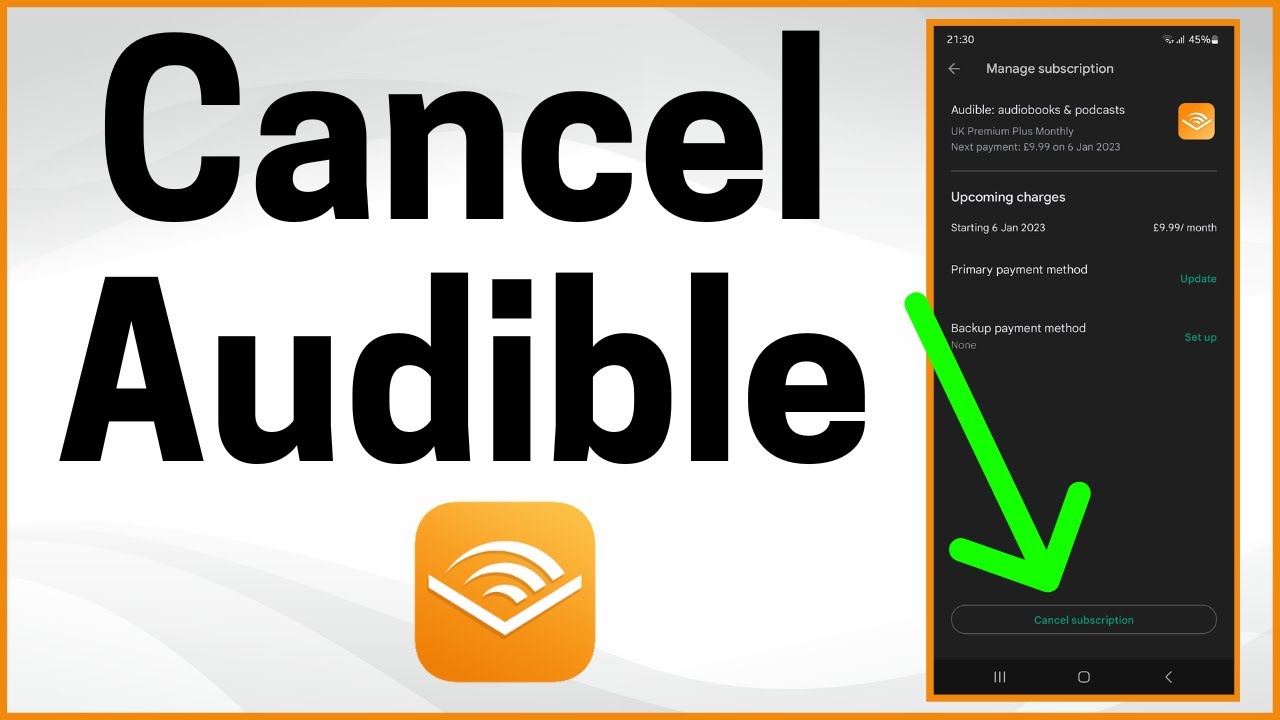
Tap “Cancel subscription” and follow the prompts to confirm. Like Apple, Google allows you to keep access until your current billing period ends. No partial refunds apply for unused days.
If you’re having trouble finding the subscription or the cancel option isn’t appearing, try accessing Google Play’s subscription management through a web browser at play.google.com/store/account/subscriptions. Sometimes the web interface works more reliably than the app.
Alternatives to Cancellation: Pausing Your Membership
Walking away from Audible entirely might not be your only option. If budget concerns or temporary life circumstances are driving your decision, pausing your membership or switching plans could preserve your benefits while reducing costs.
Average audiobook listeners consume 5.6 titles per year, while avid listeners average 8.1 titles. If you’re not hitting those numbers, you might be paying for more than you need. Adjusting your membership rather than cancelling outright keeps your account active and your options open.
How to Pause Your Audible Subscription Instead of Cancelling
Audible offers a pause feature that temporarily suspends your membership without losing your benefits permanently. Premium Plus members can put their account on hold once every 12 months for up to 3 months. During the pause, you won’t be charged, and you retain access to your purchased library.
To pause, start the cancellation process on Audible’s website. During the retention flow, Audible typically presents the pause option as an alternative to full cancellation. Select the pause option and choose your pause duration, which can be one, two, or three months.
Your credits remain in your account during the pause. When your membership resumes, billing picks up automatically at your regular rate. Mark your calendar for the resume date so you’re not caught off guard by an unexpected charge.
The pause option has limitations. You can only use it once per year, and it’s not available if you’ve already paused recently. Plus Catalog access may be restricted during the pause period, though your purchased titles remain fully accessible.
If the pause option doesn’t appear during your cancellation flow, you may have used it recently or your account type might not qualify. Contact customer support to ask about your specific eligibility.
Switching to a Lower-Cost Membership Plan
Audible offers multiple membership tiers, and downgrading might solve your problem without requiring cancellation. The standard Premium Plus plan costs $14.95 monthly for one credit, but Audible occasionally offers annual plans or reduced-credit options that cost less per month.
During the cancellation process, Audible often presents alternative plans as retention offers. Pay attention to these screens rather than clicking through quickly. You might see offers for three-month discounts, annual plans at reduced rates, or plans with fewer monthly credits.
You can also contact customer support directly to ask about available plans. Representatives sometimes have access to promotional rates not displayed on the website. Explain that you’re considering cancellation due to cost, and ask what alternatives might be available.
Compare Audible’s pricing against competitors before making a final decision. With U.S. audiobook revenue projected to reach $2.95 billion in 2026, the market has plenty of alternatives. Libro.fm, Scribd, and library apps like Libby offer different pricing models that might better fit your listening habits and budget.
Audible Refund Policy and Troubleshooting
Sometimes cancellation isn’t enough. Maybe you were charged after you thought you cancelled, or you signed up by accident and want your money back. Understanding Audible’s refund policies helps you recover funds when things go wrong.
How to Request a Refund for Recent Charges
Audible’s official policy doesn’t guarantee refunds for membership fees, but they’re often willing to work with customers on recent charges. The key is acting quickly and being reasonable with your request.
For membership charges, contact customer support within a few days of the charge appearing. Explain your situation clearly. If you forgot to cancel before renewal, acknowledge that while asking if they can make an exception. Representatives have discretion to issue refunds, especially for first-time requests or long-standing customers.
Book purchases have a more generous return policy. Audible allows returns on audiobooks, though they track return frequency and may restrict the feature if overused. To return a book, go to your purchase history, find the title, and look for the return option. The credit returns to your account immediately.
If you subscribed through Apple or Google, refund requests must go through those platforms rather than Audible directly. Apple’s refund process involves reportaproblem.apple.com, while Google handles refunds through the Play Store’s order history. Both platforms have their own policies and timelines for processing refund requests.
Keep records of all refund requests, including confirmation numbers and representative names. If a promised refund doesn’t appear within the stated timeframe, these details help when following up.
Contacting Customer Support for Cancellation Issues
When the self-service cancellation process fails, customer support becomes your backup plan. Common issues include the cancel button not appearing, error messages during the process, or confusion about which platform manages your subscription.
Audible offers phone support, chat support, and email options. Phone support typically resolves issues fastest, though wait times vary. Chat support works well for straightforward problems and creates a written record of the conversation.
Before contacting support, gather your account information: the email associated with your account, your billing history, and any error messages you’ve encountered. If you’re trying to cancel a subscription billed through Apple or Google, support may need to redirect you to those platforms.
Explain your issue clearly and state what outcome you want. If you want to cancel and receive a refund for the most recent charge, say that upfront. Representatives can help more efficiently when they understand your goal from the start.
If your first support interaction doesn’t resolve the issue, don’t hesitate to try again or escalate. Different representatives have different levels of authority and knowledge. Politely asking to speak with a supervisor sometimes unlocks solutions that weren’t initially offered.
Making Your Final Decision
Cancelling your Audible membership doesn’t have to mean losing everything you’ve invested. Spend your credits before they expire, verify which books you’ll keep access to, and choose the cancellation method that matches how you originally subscribed.
Time your cancellation for a day or two before your next billing date to maximize your remaining access without risking an accidental charge.
If you’re on the fence, the pause option or a plan downgrade might serve you better than full cancellation. These alternatives keep your account active while reducing costs, and you can always cancel later if your circumstances change.
Whatever you decide, confirm your cancellation through both email and your account settings. Keep that confirmation email until you’ve verified no unexpected charges appear on your next statement. A few minutes of verification now prevents billing headaches later.